Convert RAK4631-R to RAK4631
The only difference between the RAK4631-R (RUI3) and the RAK4631 (Arduino) is the bootloader it is shipped with - the hardware is the same.
Meshtastic requires the Arduino bootloader on RAK WisBlock nRF52-based boards. The process of converting the bootloader only needs to be performed once.
Here are two ways to flash the bootloader:
USB Device Firmware Upgrade (DFU)
- Install Python
- Install adafruit-nrfutil
pip3 install adafruit-nrfutil - Download the required bootloader: WisCore_RAK4631_Board_Bootloader.zip
- Connect your RAK device by USB.
- Flash the bootloader
Note: The serial port name (
adafruit-nrfutil --verbose dfu serial --package ./WisCore_RAK4631_Board_Bootloader.zip -p /dev/ttyACM0 -b 115200 --singlebank --touch 1200/dev/ttyACM0) may differ depending on your operating system. Make sure to identify the correct port name for your setup. - Continue with the normal flashing instructions
Debugger
This conversion requires the use of either a DAPLink or J-Link. The most reasonably priced and available is the RAKDAP1.
- Install Python
- Install pyOCD
pip3 install pyocd - Download the required bootloader: WisCore_RAK4631_Board_Bootloader.hex
- Connect the RAKDAP as follows:
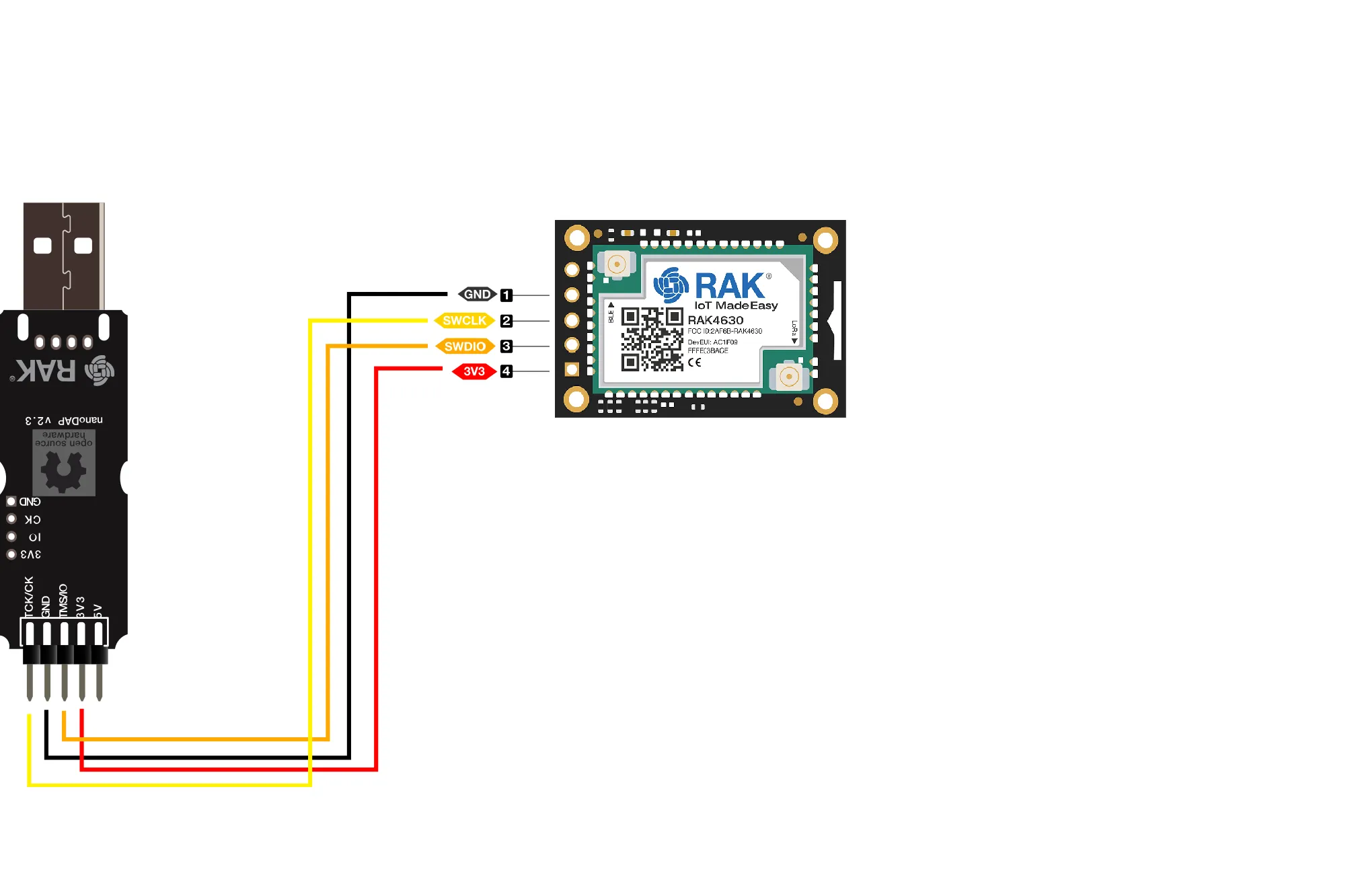
- Flash the bootloader
pyocd flash -t nrf52840 .\WisCore_RAK4631_Board_Bootloader.hex - Continue with the normal flashing instructions
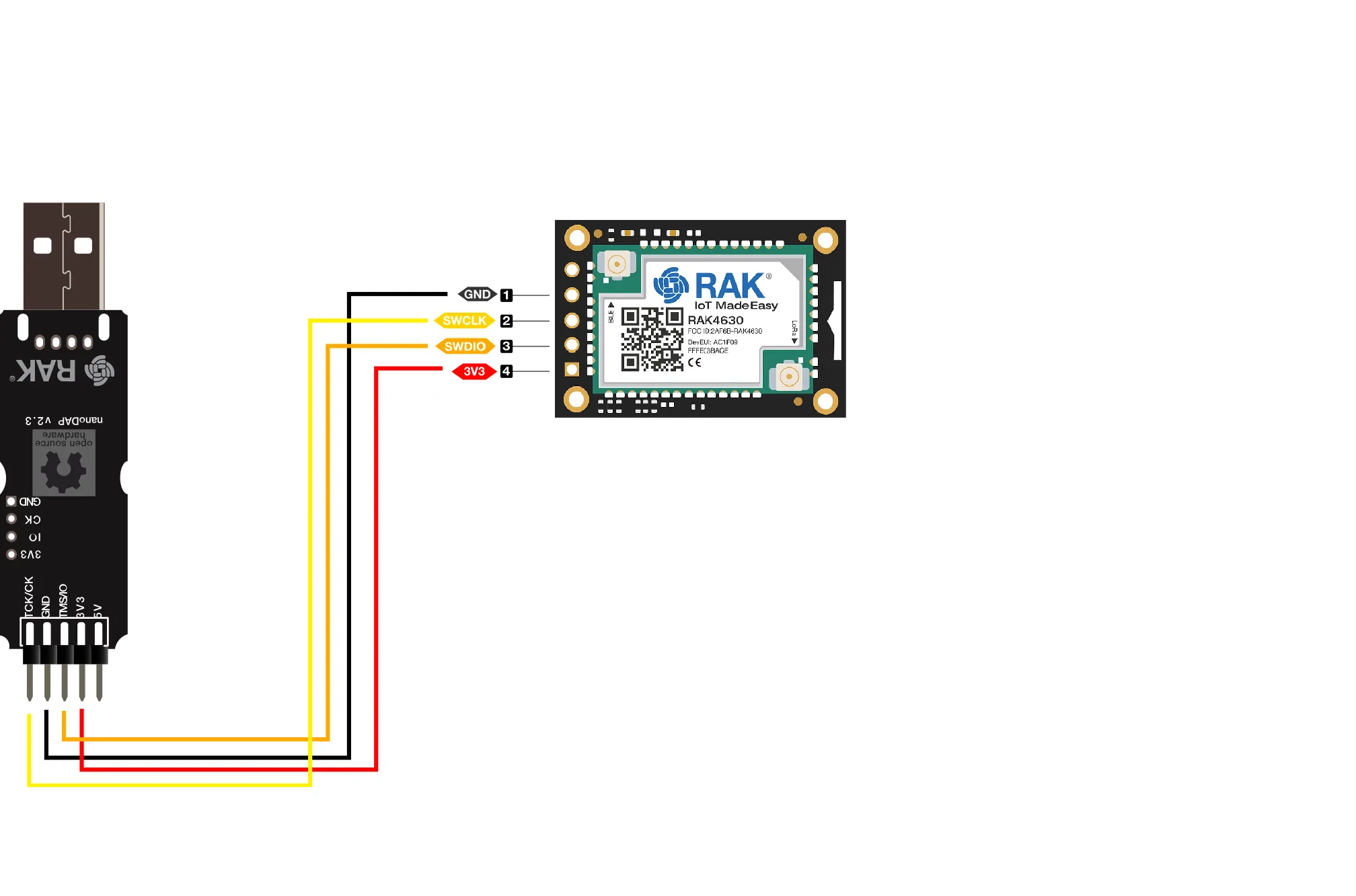
Alternate methods of flashing are outlined here.